You can always change your password here.
This is for Mac OS X users. Windows users can use Thunderbird.
Requirements:
Your email address: mark@example.com (You’ll need to get this created before accessing)
Your email password
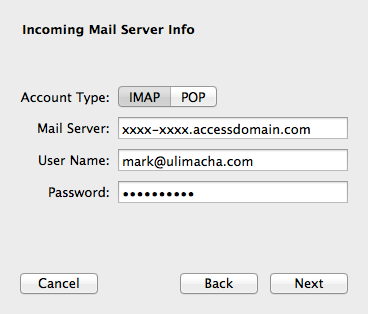
Your “email access domain”. This is provided in the email.
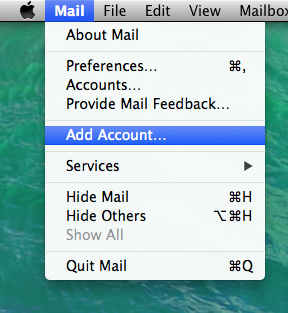
- Start Apple Mail. Mail > Accounts…
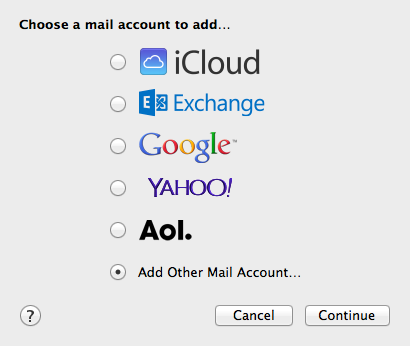
- Select Add Other Mail Account…
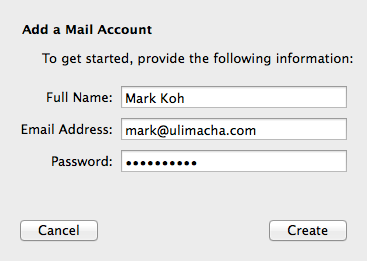
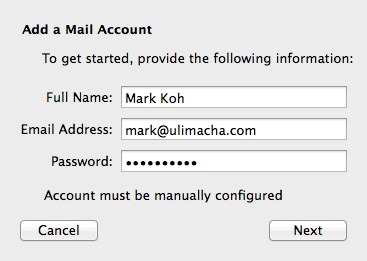
- Fill in the blanks. Click Create
- Your account needs manual configuration. Click Next
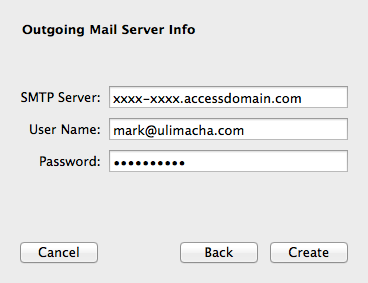
- Mail Server is the Domain Email Access (refer to your email)
- Repeat the same for SMTP. Click Create