How to move your contacts from MT mail (legacy)
- Log in to https://s154448.gridserver.com/.tools/webmail/ with your email and password
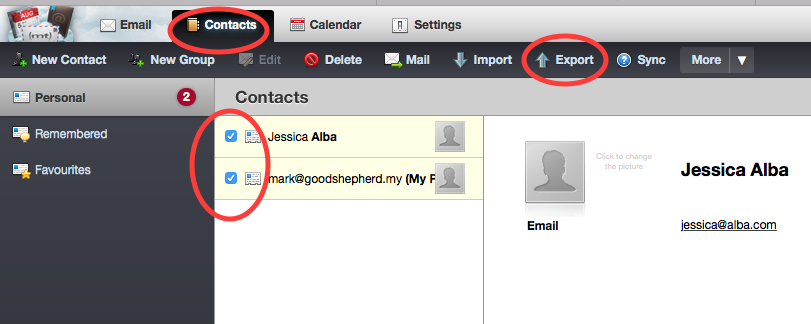
- Click on Contacts
- Make sure all your contacts are checked (selected)
- Click on Export
- The file will be saved to your computer (Download folder). Keep this file. You can import it into your phone or mail program.